Create eye-catching loop clips quickly with Falling Filter app
Falling Filter - Funny Loop, by Hai Nguyen Minh, turns short iPhone footage into looping entertainment for social platforms. The app focuses on applying dynamic motion filters to brief clips, letting users produce attention-grabbing looped videos without editing expertise. Built for casual creators and short-form fans, it emphasises fast capture, playful visual effects, and simple export paths so people can add striking moments to their feeds with little setup.
What the motion effects change about an ordinary clip
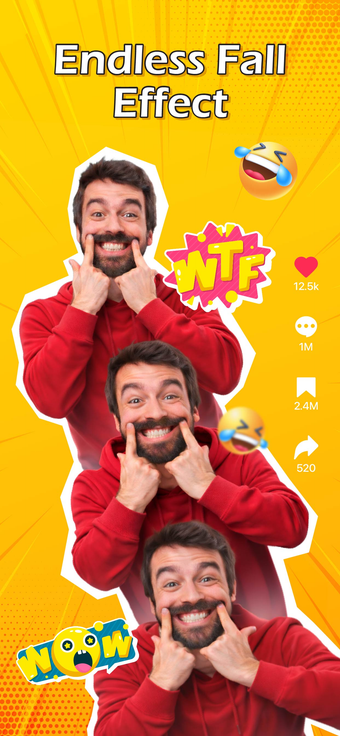
The app applies named motion presets such as Loop Motion, Falling Style, Wavy Distortion, and Whirlpool Spin to alter movement and perspective. Loop Motion uses specialized algorithms to join the clip’s endpoints for continuous playback, Falling Style simulates a gravity pull on subjects, and Whirlpool Spin creates rotational vortex visuals. These presets act as single-step transforms users choose from a small library of effects.
How it plugs into an iPhone workflow
Designed for iPhone and iPad use, the app supports recording inside the interface or importing existing clips from the device library and requires iOS 17.0 or later. It provides an instant preview stage so users can confirm results before saving, and a one-tap sharing action pushes finished loops to social platforms. The developer optimised processing for modern devices to keep render times short and encourage quick retakes.
Who gains practical value and what compromises to expect
The tool targets fast, playful clip production rather than granular editing, so people who need frame-by-frame trimming or long-form timelines will find limits. The developer is an independent creator focused on camera-based filters, and App Store feedback highlights creative results alongside user notes about advertisements and occasional loading delays during processing. The app also requests camera and photo-library permissions to record or import media during setup.
To sum up: a playful pick for quick social loops, with clear limits
To sum up, the app is a playful option for casual clip makers who want quick, attention-grabbing looped moments. It is less appropriate for users needing precise editing controls or long-form projects. Use steady framing and contrasting backgrounds when you record to keep visual changes legible; keep loops under three seconds for social feeds to maximise engagement.